

Rolltop
Sell options. Roll them on your rules.
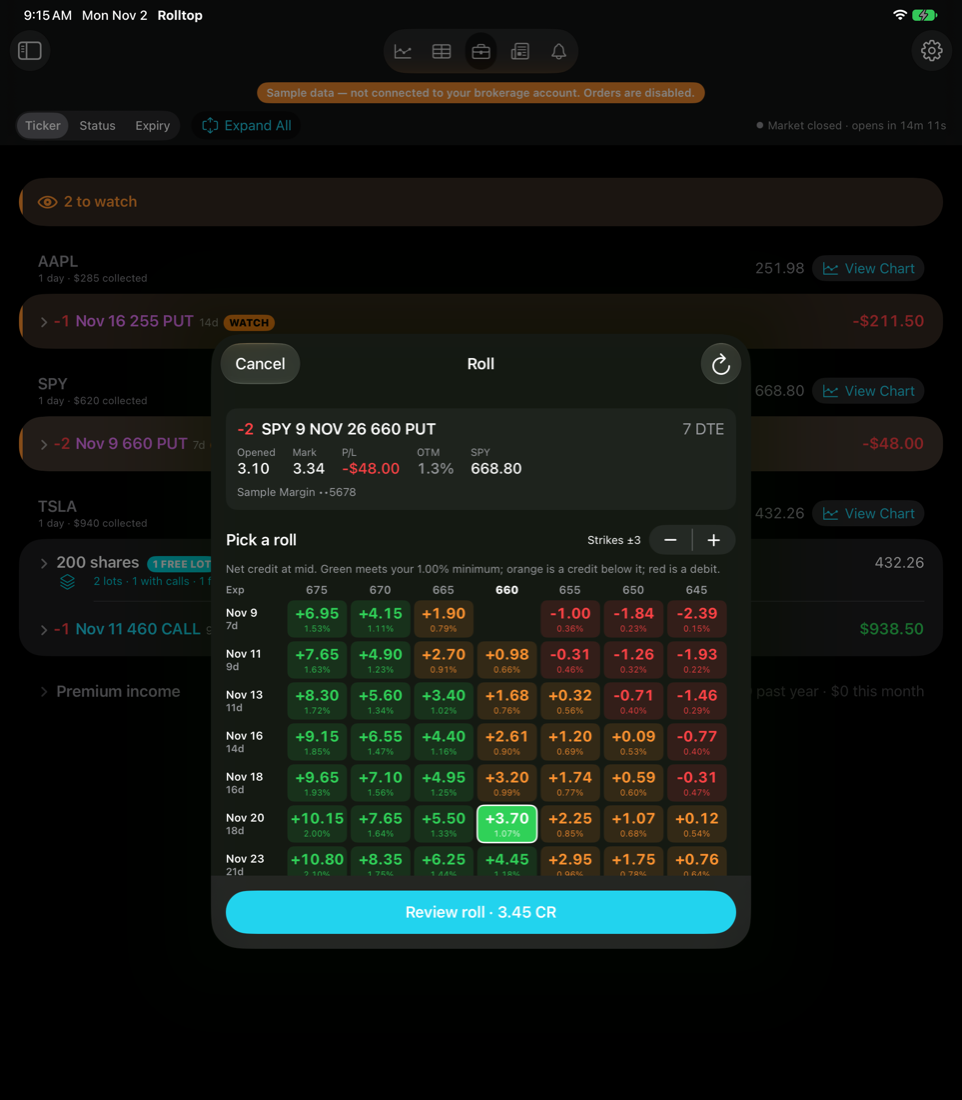
A companion for selling cash-secured puts and covered calls in your brokerage account, on iPhone, iPad and Mac. See which positions need attention, pick a roll from a grid of credits, and confirm the order — every decision yours.
COMING SOON TO THE APP STORE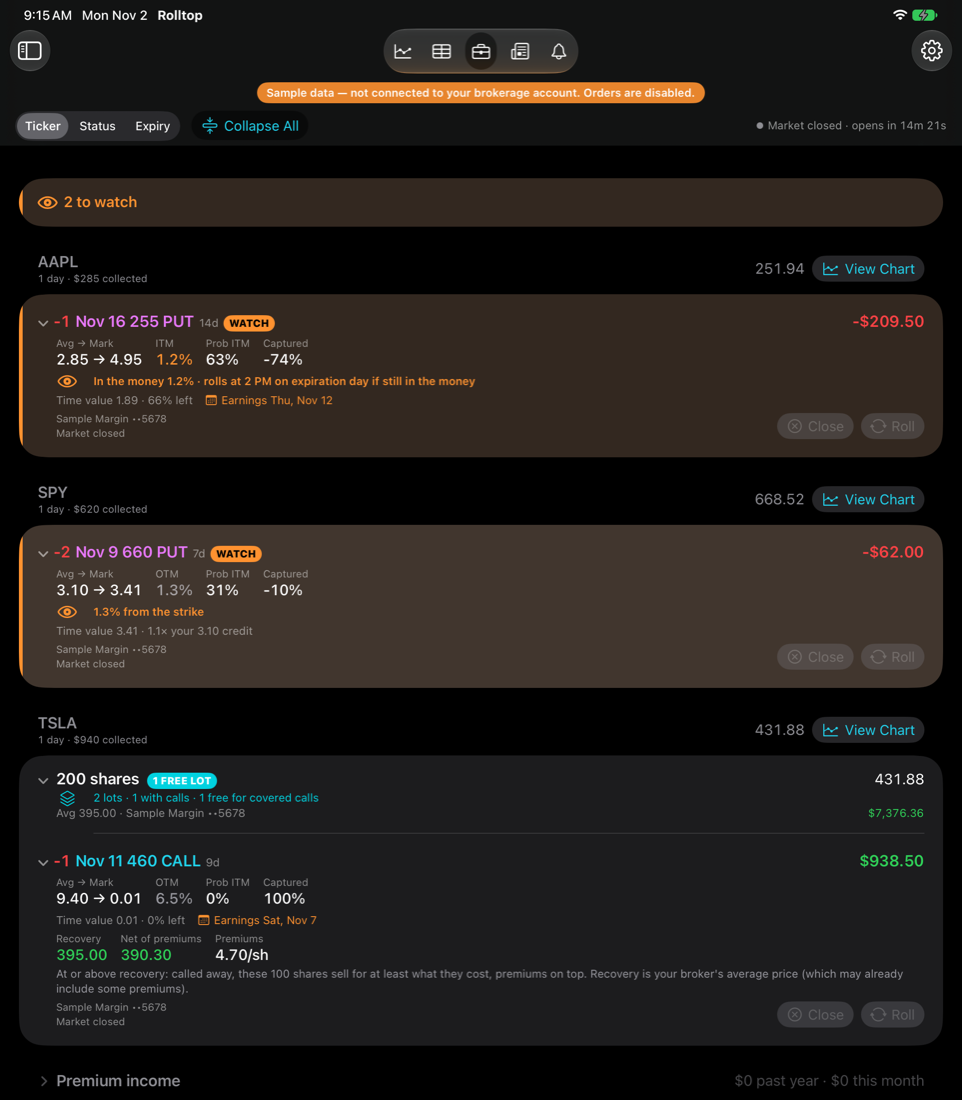
Shown with Rolltop’s sample data.
GETTING STARTED
- 1 Have a supported brokerage account
Rolltop connects through one broker’s Trader API — the broker whose developer portal is developer.schwab.com — with options approval for the trades you plan to place. It doesn’t support other brokers.
- 2 Register a developer app
Create a free account at developer.schwab.com, request the Trader API – Individual product, and create an app with the callback URL https://127.0.0.1. Your broker reviews new apps, which can take several business days.
- 3 Connect Rolltop
Enter your app’s App Key, Secret and callback URL in Settings › Brokerage, then sign in with your brokerage login and choose the accounts Rolltop may use.
- 4 Set your rules
Choose your minimum premium, roll ladder, assignment line and alerts. Rolltop labels every short option from them: Roll now, Watch, Let expire or Allow assignment.
Every step, with what to expect on each device: the Getting Started guide.
FEATURES
Short puts roll when they’re as far in the money as your ladder says for their time left, and on expiration day at the time you choose. Deeper than your Allow assignment line, Rolltop flags taking the shares instead.
A grid of expirations and strikes shows the net credit or debit of every roll at the mid price, colored against your minimum premium. Rolltop preselects your ladder’s target; you can pick any other.
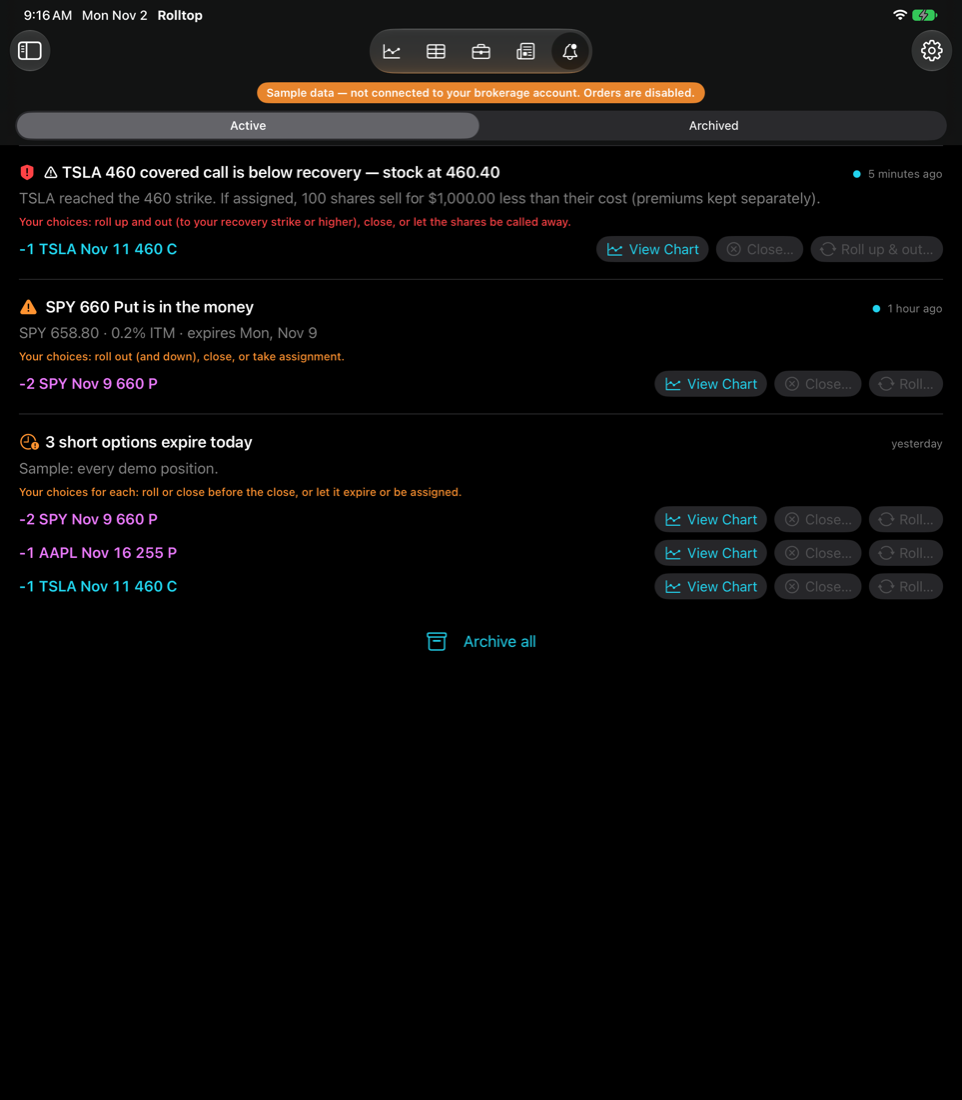
For shares you hold, Rolltop shows the recovery strike — what the shares cost you — so you can see which calls could sell them at a loss. It warns you when the stock reaches a call struck below it.
Every order shows its prices, credit or debit, and checks first: premium under your minimum, debits, thin markets, earnings and ex-dividend dates, and buying power. Nothing goes to your broker until you confirm it.
Options expiring today, contracts at risk of assignment, shares without covered calls, earnings ahead, and a summary after the close. Timed in Eastern Time, with the NYSE holiday and early-close calendar.
Positions, option chains, charts, news and premium income on every device, with Home Screen widgets and a Mac menu bar item. Alerts raised on one device reach the others through your iCloud.
NEW TO SELLING OPTIONS?
Learn the Low-Stress Way of Options Trading Options trading education from Low Stress Trading. Opens their website.
Low Stress Trading is for adults 21 and older. This opens their website in a new tab, and Rolltop’s developer earns a referral fee if you buy.
I’m 21 or Older — ContinueAffiliate link: Rolltop’s developer, Keith McDuffee, is a paid referrer for Low Stress Trading and receives a fee if you buy through this link. StackRef Inc. receives nothing. Low Stress Trading is independent of Rolltop and doesn’t provide financial advice. For adults 21 and older. Affiliate Disclosure